
Useful PC monitor program
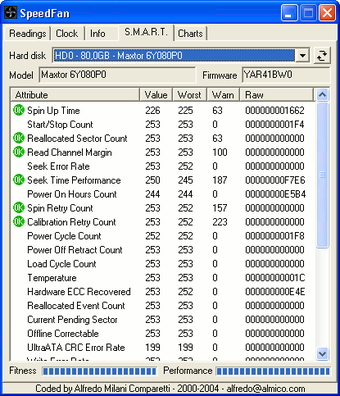
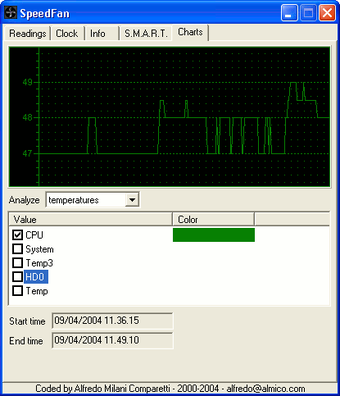
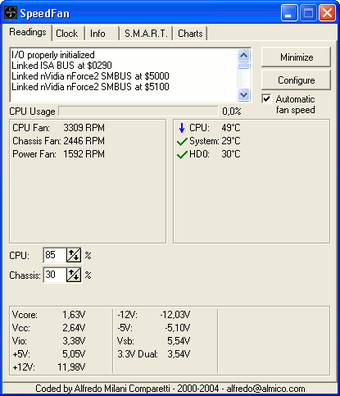
SpeedFan is a free utility tool developed by Alfredo Milani Comparetti. It simplifies PC monitoring, tracking hardware health, fan speeds, and temperatures. Despite initial complexity, its interface becomes intuitive with use. It also troubleshoots PC issues by providing detailed system diagnostics. Its fan control feature is particularly valuable, allowing temperature regulation.
Top Recommended Alternative
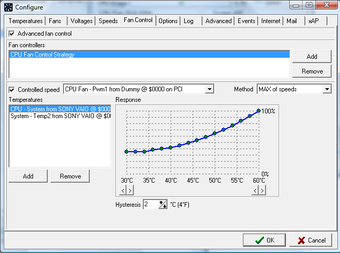
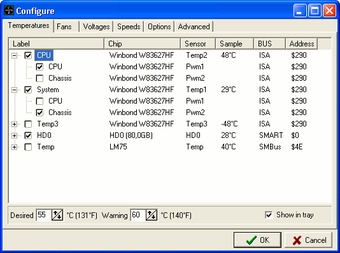
SpeedFan effectively manages PC hardware by offering precise control over fan speeds based on temperature readings. This approach helps extend hardware lifespan and optimize performance. Although beginners might find its host of features frustrating, the software's vast monitoring capabilities make it a powerful tool for PC maintenance, both old and new.
Keep your PC optimized with this tool
SpeedFan offers accessible PC health and performance monitoring, even for new hardware, without cost. Its updates ensure accurate measurements, and its lightweight design minimizes system load. This tool extends PC lifespan by tracking key components. While basic, it's consistent updates and wide Windows compatibility from the latest Windows 11 down to Windows 95, making it a reliable, background-running utility for any hardware oversight.
While using it at first can be quite challenging, it simplifies fan control and hardware monitoring with included tutorials. Its primary use involves adjusting fan speeds to manage PC temperatures, but it also provides comprehensive system health checks. Tracking drive performance and identifying potential issues aids in troubleshooting. Its compatibility with other monitoring tools enables advanced testing, crucial for tasks like gaming optimization, ensuring prolonged hardware lifespan and stability.
Expanded hardware support in version 4.52
SpeedFan 4.52 Final is the latest official release of the popular hardware monitoring and fan control utility, bringing expanded support for a wide range of newer motherboards, sensors, and storage devices. This update improves compatibility with additional hardware, allowing more users to accurately monitor system temperatures, voltages, and fan speeds. It continues to provide advanced fan speed adjustment features that help reduce noise while maintaining proper cooling performance.
This tool’s limitations include repetitive admin permission requests and a learning curve, offering basic monitoring rather than advanced troubleshooting. Alternatives like Core Temp, HWMonitor, and MSI Afterburner provide specialized functions, such as component temperature display, sensor monitoring, and GPU overclocking, respectively. This, however, remains comprehensive for fan control and general hardware monitoring, with consistent updates for new hardware compatibility, despite initial interface complexity.
One of the best PC monitoring tools
SpeedFan is a useful and lightweight PC monitoring program that combines temperature tracking, fan control, and hardware diagnostics in one free package. Version 4.52 expands hardware compatibility, keeping it relevant for many systems. While the interface can feel dated and challenging at first, its reliable performance, low resource usage, and effective cooling management make it a valuable tool for maintaining PC health and stability.